Showing posts with label Editing. Show all posts

Friday, 16 March 2012

Editing - Second Cut


Second Cut: 
This is the second cut of my music video. In this cut, the main thing I focused on was adding and changing shots of the performance to give more variety and range in shots as before a lot of the same shots had been used throughout. I also added in a fade of clouds into performance in the second chorus to break up the long shot used.

Wednesday, 25 January 2012

Editing - Final Rough Cut


This is my final rough cut before the final version of my music video. I have added rain into the storm cloud shots by using After Effects CS5 and masking a video inside the shape of the Young Guns logo as my establishing shot. I have changed a few shots around and improved on little imperfections and I'm now awaiting feedback to really improve for my final piece.

Sunday, 15 January 2012

Editing - After Effects


Having access to After Effects at home, I decided to try out adding in some rain to my first cloud shot. I followed some tutorials on the internet as I have never used this programme before. I used the 'CC Rain' effect already available to me in AE CS5. I played around with the settings to something that suited and looked fairly realistic. I also changed the blending mode to 'Overlay' as this blended the rain into the clouds and darkened them more than the 'Normal' setting did where the rain looked very fake and out of place. With the low quality of this clip on Youtube, only allowing me to view at 360p, I'm not sure whether or not to use it in my final piece. Obviously, I'll need to experiment more to get the settings right and play around for the whole of my video but I think if mastered it could be a nice touch.


I would add this effect to all of the storm cloud clips. There are three in total in my music video currently, the establishing shot from around 0-3 seconds, one in the middle from 58 seconds to 1 minute and near the end at 3:45 to 3:46. This would make my video link more to the song lyrics and currently I have no footage of rain, only clouds. 

Research - Mask Editing


Having noticed that a lot of the recent Young Guns music videos have used their logo in them, I felt that to make my own video really look like a video they would use I could add this in in some way. The idea I have come up with is to create a mask so that another video would appear to be playing inside the logo's shape. I would do this in the establishing shot of my video, the storm clouds. I could play a video of the sunset or a clearing sky inside the log to show a clear contrast. Above, is a video I have found on Youtube which explains exactly how I can do this. I have access to Photoshop so this shouldn't be too difficult to do and would add a great personal touch of the band to my music video.

Friday, 13 January 2012

Editing - Rough Cut


Rough Cut
This is the rough cut of my A2 Coursework production. I am very happy with how things have turned out such as the time lapse shots and how I have managed to use all of my clips without having to reshoot of film extra footage. Unfortunately, Youtube appears to have lowered the quality of the video, making it look quite jumpy and slow. It looks slightly better and less jumpy played at 480p. This may be able to be worked around my compressing the file size, as it is quite large at present which may be the issue. I have chosen to abandon the idea of the video being in black and white as some of the colours, such as the sunsets and the orange guitar have come out amazing and it would be a shame to cover this up.
Overall, I am very pleased with the outcome so far and will get some audience feedback to help me decide if there are any changes to make before I finalise this piece.

Editing - Markers

During editing, I found that using the marker tool was extremely helpful to me. I used markers a lot in editing to mark out certain beats and points in which to cut a clip or where to match lip syncing. I found it a really simple way in making sure that everything was perfectly in time and to the beat of the music. I also used this tool when playing and watching clips in the Slug as I was able to mark out useful parts of the clip or parts that were unusable to that could cut away and leave what I needed, especially as some of my clips were quite long and my issue with rendering takes a lot of time away from me. Hopefully, everything is now in time and effectively cut so it looks more like a music video rather than narrative with music playing over the top.

Editing: Narrative shots

I have started to edit together parts of my narrative as well as having put together the introductory part of the song before lyrics. The first chorus of my song shows the narrative where the character of younger Luke appears to be sending a message in a bottle, reflecting the lyrics. This then cuts to a pan back to the character of older Luke replacing his place, suggesting even though this character has grown up he still has the same habits/life. I then cut to a shot of Emily's character finding the bottle and reading the message inside, establishing the story. However, this was quite predictable and the obvious thing to do so I switched this for a clip of Emily running away from the stream which makes the audience question and engage to find out what she is running from. I moved the clips of her finding the message to the instrumental during the middle section of the song which explains why her character is running. The idea was that she knew this was a trait of his throughout his childhood so realised and went to find him.

Thursday, 5 January 2012

Editing - Timings

As I've begun to edit together and start watching my edited footage back, I feel that some of the timings I had suggested on my storyboard were a little too long. A lot of the first shots I had planned for the beginning of my song were about 6 seconds long each. Watching this back, now edited together, I feel that this is very long to hold the clip and looks like each clip drags on so I will have to make some changes to this. Overall, editing is going well and I aim to have a rough cut of my music video shortly.

Thursday, 22 December 2011

Editing - Rendering

I have been editing my music video together over the past few weeks however rendering has become quite an issue, taking away long chunks of time where I cannot do anything productive editing wise. I feel that I may be a little behind schedule so after the christmas holidays I am keen on working on it as much as possible so that I can get it done for the deadline we have been set.
However I am very happy with the quality of my footage and feel I have enough to be able to work with and not make many drastic changes to my storyboard at all.

Wednesday, 30 November 2011

Editing - Music Video

Yesterday, I started editing my final music video together. I imported all the clips and audio track into Final cut. I started off by adding in the miming part where those specific lyrics are and the last clip of the two actors walking into the sunset as I know exactly where I wanted to use these to shots. I also sped up some of my cloud shots to create a time lapse effect, I achieved a good effect by speeding up to 2000%. I will next try to sync up the performance clips I have. I have been looking at my storyboard to help with clip timings and where things so be. Rendering looks to be an issue again this year, however I have been cutting up clips into what I need so that this process takes as little time as possible. I tried to render a clip of the band as a whole performing, which was a 3/4 minute clip, however rendering told me it would take an hour or so so I decided to leave this and cut bit in where and when I need to.

Friday, 25 November 2011

Research - Music Video

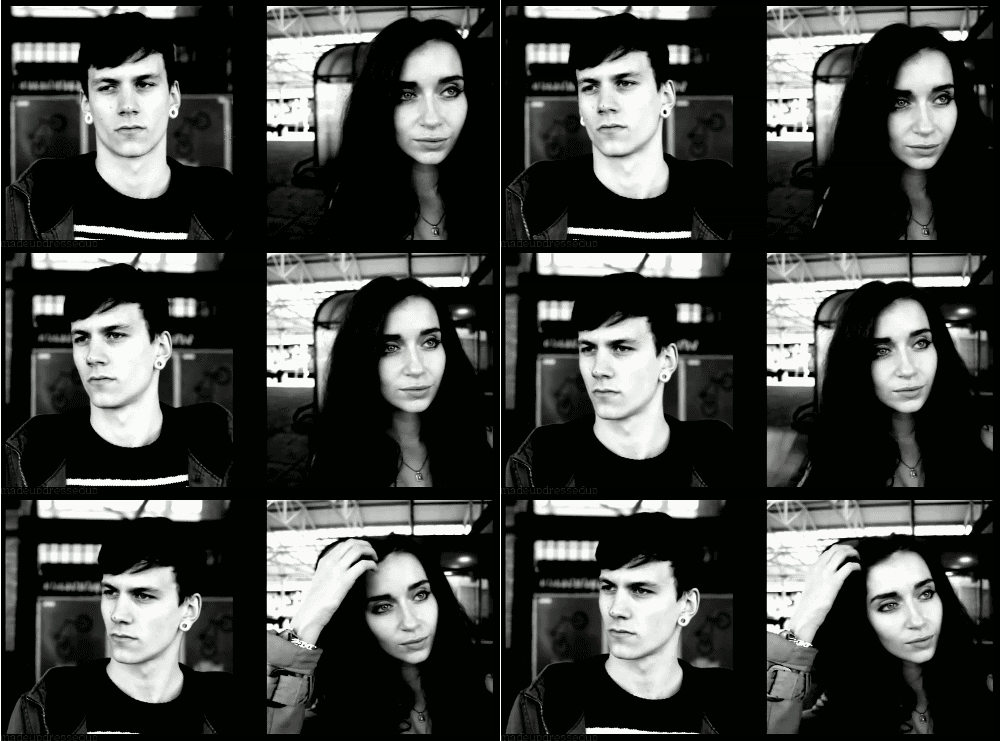
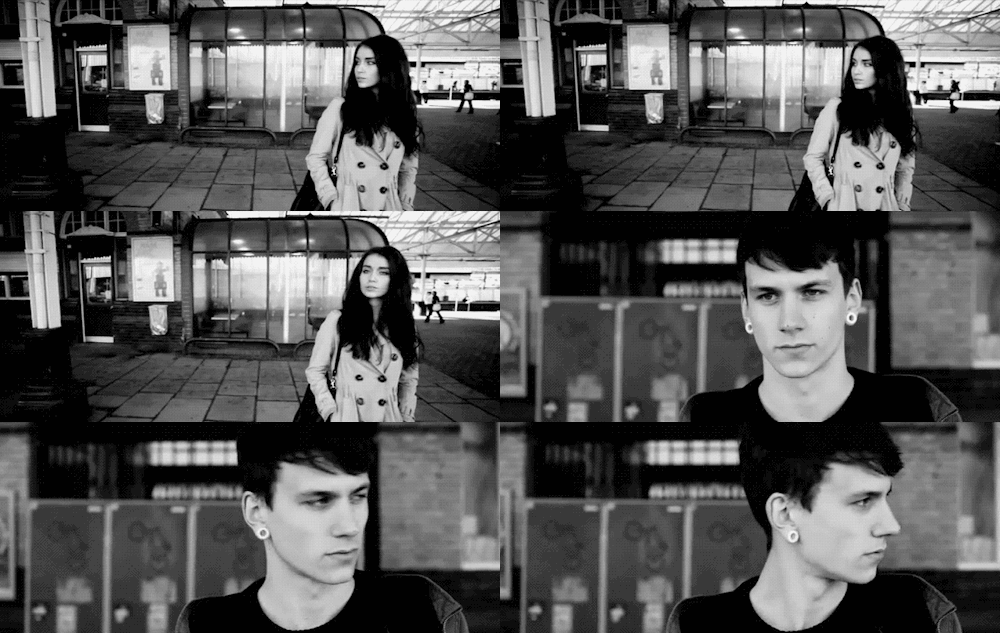
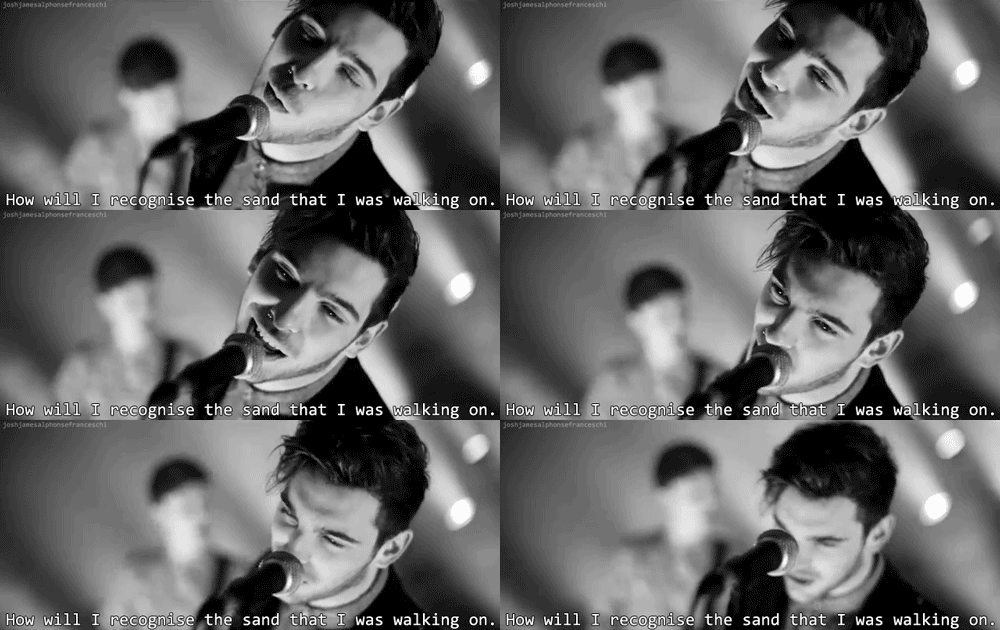
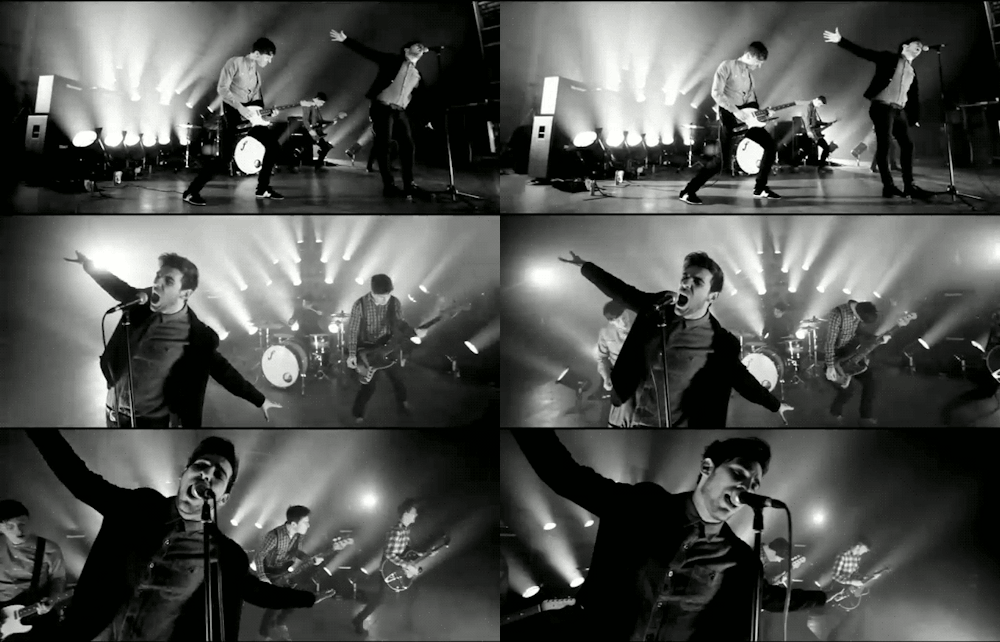
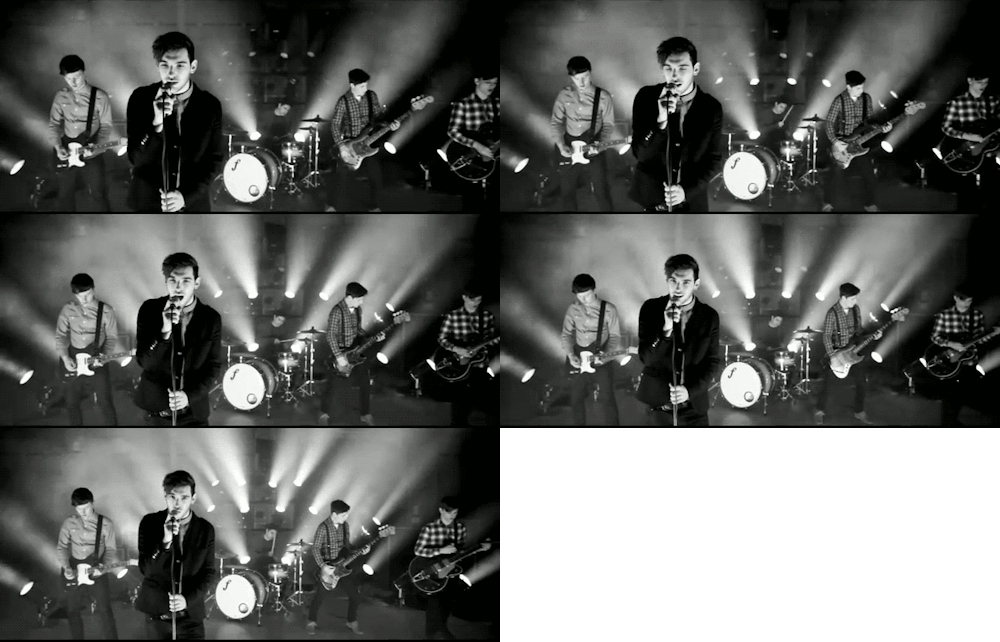
Previously, I talked about taking inspiration from Francesqa's music video for 'All I Had'. Unfortunately, I couldn't link the music video as it had been made private on their youtube account. Today I found some gif images of the video that show what the video was like. The image on the left shows the spilt screen used to show the male and female versions of the narrative. Below, there is a gif showing the male and female narrative in one screen and the rest show the performance. I love the use of the high contrast black and white and this video really shows this off well. I also like the shallow depth of field used for the performance clips. The professional lighting looks really effective, however I don't own and can't afford to pay for this sort of professional set up and am planning on using an outdoor location to match the narrative.

Sunday, 20 November 2011

Planning - Editing For High Contrast Black & White

 As I don't have my own copy of Final Cut on my personal Mac at home, I use iMovie instead which I have some experience in using through playing around and using it to create personal projects. I wanted to test out my clips and see how they looking in black and white, which is what I plan on having my video in. I wanted to recreate a strong black and white, like in the video for 'Stiches' by Young Guns and 'Sit Tight (Acoustic)' by The First. I played with the clip settings and adjusted the levels to give a high contrast effect. I had to alter the levels individually to make each clip look its best as the colours are not the same and need different settings. I also changed the contrast bar to it's maximum and saturation bar to it's lowest to reduce all colour and give the black and white look. I tried this out on a variety of clips and below is what they look like.


Thursday, 17 November 2011

Editing - Live Performance Task


'In Chaos' - Strangers (Final Edit)
This is our groups final edit of our live performance filming with the band 'Strangers' who came in last week. We were given 2 and a half hours in lesson time to edit together the piece. Unfortunately we ran out of time to finish editing towards the end of the song so we left one clip running as it was in sync. However, I am really pleased with how it is turned out and think a lot of the footage we shot was of good quality and useable. It has really taught me and let me practice my editing and helped me improve on my lip syncing as well as matching instruments to the beat. It was great working with a live band and was a great learning experience to see how performances are really filmed. As it was a live performance we didn't know what the band were going to do as we gave them no directions to face certain cameras etc. I think planning is a key part to making a successful piece and think that if we were given more time we would have planned out in more detail. Also, we only had one run through of the song to film in. In my own filming, I think that maybe having my performers play multiple times will allow me to get a wider range of shots and make sure I don't miss out any good opportunities.

Friday, 11 November 2011

Editing - Live Performance Task

Today we started to edit our footage together from our live performance filming session on Wednesday with the band 'Strangers'. As we had 4 different cameras, we have 4 angles and view points. We have cut together the first few seconds with the first few lines of lyrics and so far all is looking good. As this was a professional band playing their own songs, they made no mistakes when it came to instruments or singing meaning it is far easier to sync with the actual song track. We have 2 more lessons to put this all together, a minimum of the first 30 seconds of the song. We will then present our final piece to the rest of the class.

Monday, 7 November 2011

Research - Editing


You Me At Six - 'Bite My Tongue (Live)'
I love the extreme use of contrast in black and white used for this video. Obviously, the all the special lighting used and the natural darkness of the venue helps this. I think that this would look quite effective for my own video as well as my imagery and photography for my ancillary tasks. I aim for my own piece to be very high in contrast, really exaggerating the dark and light tones, hopefully slightly less than this video but of a similar style. I think it would really bring out the darkness of the clouds in my time lapse shoots and bring the right atmosphere and mood to my final piece.

Monday, 17 October 2011

Editing - Practice Music Video

I have finished editing together the basic structure of my practice music video for 'Radar Love' by  Golden Earring. I am happy with how it has come together and the only change I have made to my original story board was adding in different angles of the drums being played as the same shot for so long would disengage the audience. Now, I am focusing on making the clips look like they have been filmed in the time era that this music was produced. To do this, I am experimenting with using the video filter 'Bad Tv' which creates an old fashioned video style. I have had to change the setting so that it is not over edited and looks realistic. To exaggerate the style of video at the time, I have desaturated all of the clips very slightly so they give that old almost black and white look but with a hint of colour. I think that this looks very effective and representative of what the video would have looked like if filmed at the time.

Friday, 14 October 2011

Editing - Practice Music Video

I started editing together my practice music video for 'Radar Love' by Golden Earring. I am using Final Cut Express to do this and so far it is all going well. I have put together the basic structure of my video, referring back to my storyboard. The only change I have made is to have different angles of the drums showing. The only problem that I have come across is having to render ever clip after each change I make which is very time consuming. For my real music video I will have to convert the clips so that it means this process may be eliminated and save me lots of times in which I can edit more efficiently.
The lip syncing was quite easy to match up and think it syncs pretty well to the music. I now have to work on the foot tapping and clicking so that they are simultaneous and to the beat. I really like how the letter boxing has turned out.


Monday, 26 September 2011

Research - Editing


Time Lapse:
In my own music video, I'd like to try out using time lapse. I think that, done correctly, it looks amazing and can be very powerful. I have had the idea of a couple meeting each other and going to kiss and while they kiss the time lapse goes on in the sky above them. When the kiss ends so does the time lapse. It would represent that when they are together they are so in love with each other that everything else just passes them by. This could be very difficult to film, however, as the couple would have to be as still as possible holding the kiss for a long period of time. Obviously, if I use this idea I will have to think about time of the day (sunrise/sunset etc) and what the weather is like on the day.